Planned Maintenance System

Keep every ship running, compliant and under control.

NavTech is a complete planned maintenance system for commercial vessels. Offline-first on board, connected to your fleet office ashore, and fully editable for each ship.

✓ Works offline✓ Windows · macOS · Linux✓ Nothing to install on board✓ Any vessel type
navtech · MV OCEAN PIONEER (sample data)
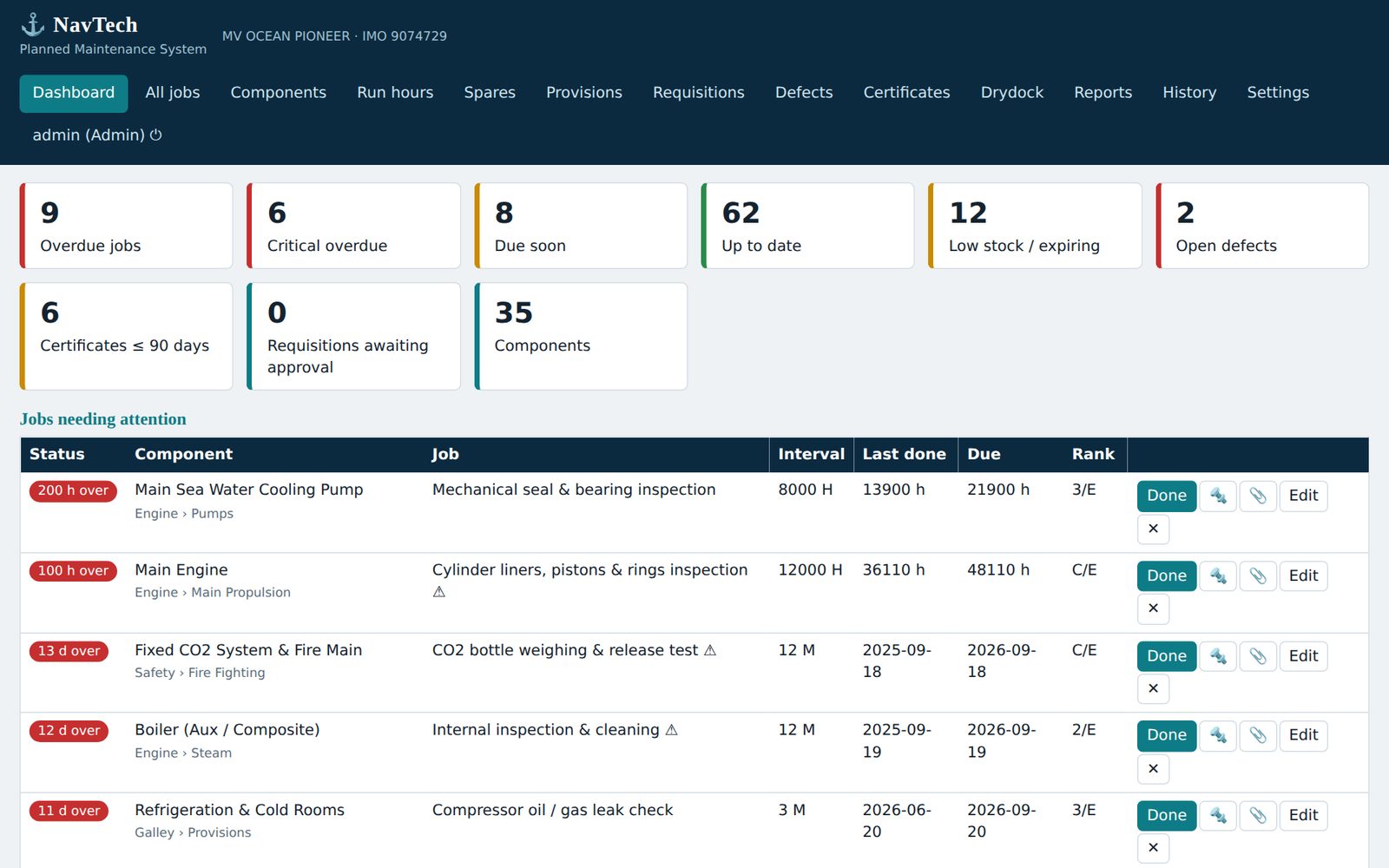
NavTech dashboard showing overdue jobs, low stock, open defects and certificates
⚠ 6 critical jobs overdueFlagged instantly on the dashboard
✔ Synced with shoreAutomatic, every 30 minutes
📦 Spares short for next jobRequisition in one click
General CargoTankersBulk CarriersContainer ShipsOffshore SupportTugs & WorkboatsReefersHeavy LiftRo-RoGeneral CargoTankersBulk CarriersContainer ShipsOffshore SupportTugs & WorkboatsReefersHeavy LiftRo-Ro
0ready-to-edit starter jobs
0vessels per fleet office, and beyond
0operating systems supported
0installations needed on board
Everything on one platform

One system for every part of the ship

From the engine room to the galley, NavTech connects maintenance, stores, defects, certificates and costs, so nothing gets lost between departments.

🛠

Planned maintenance

Jobs by running hours, days or months, with critical-job flags, responsible rank and instant overdue warnings.

📦

Spares & inventory

Link parts to jobs. Stock is deducted when a job is completed, and you are warned when a job is short of parts.

🍽

Galley provisions

Dry, chill and freezer stores with minimum levels, expiry dates, receiving and daily issues.

🧾

Requisitions

Generate from low stock, approve on board or ashore, order, then receive the delivery straight into stock.

📈

Defects & condition monitoring

Log defects, raise a job in one click, and trend oil analysis, exhaust temperatures and vibration against alarm limits.

📜

Certificates & surveys

Class, SOLAS, MARPOL, flag, ISM, ISPS and MLC, with 90, 60 and 30-day expiry alerts.

🔥

Permit to work

Hot work, enclosed space, high voltage: a job cannot be closed until the checklist and officer sign-off are complete.

⚓

Drydock & repair specs

Build the work list from defects and class items, compare yard tenders in any currency and track actual cost.

📊

Reports & costs

PMS compliance, overdue jobs for PSC and vetting, spares consumption and job costs, as PDF or Excel.
See it working

Built by marine engineers, for marine engineers

Real screens from the product, shown with sample data.

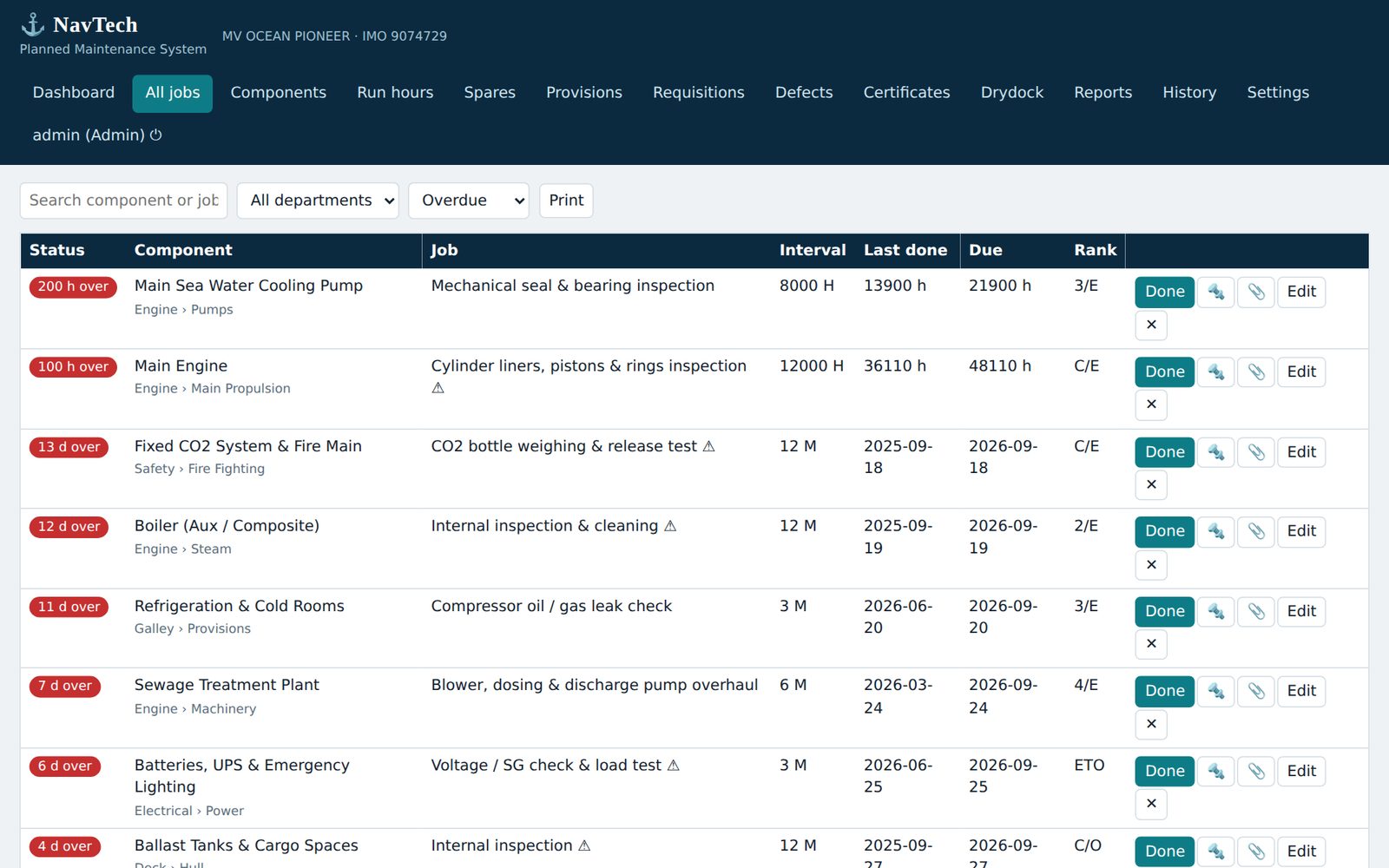
Know what is due, today

  • Hours, day and month intervals
  • Red, orange and green status at a glance
  • Complete a job in seconds, with spares and remarks
  • Every job is recorded in the history
NavTech job list with overdue and due-soon status

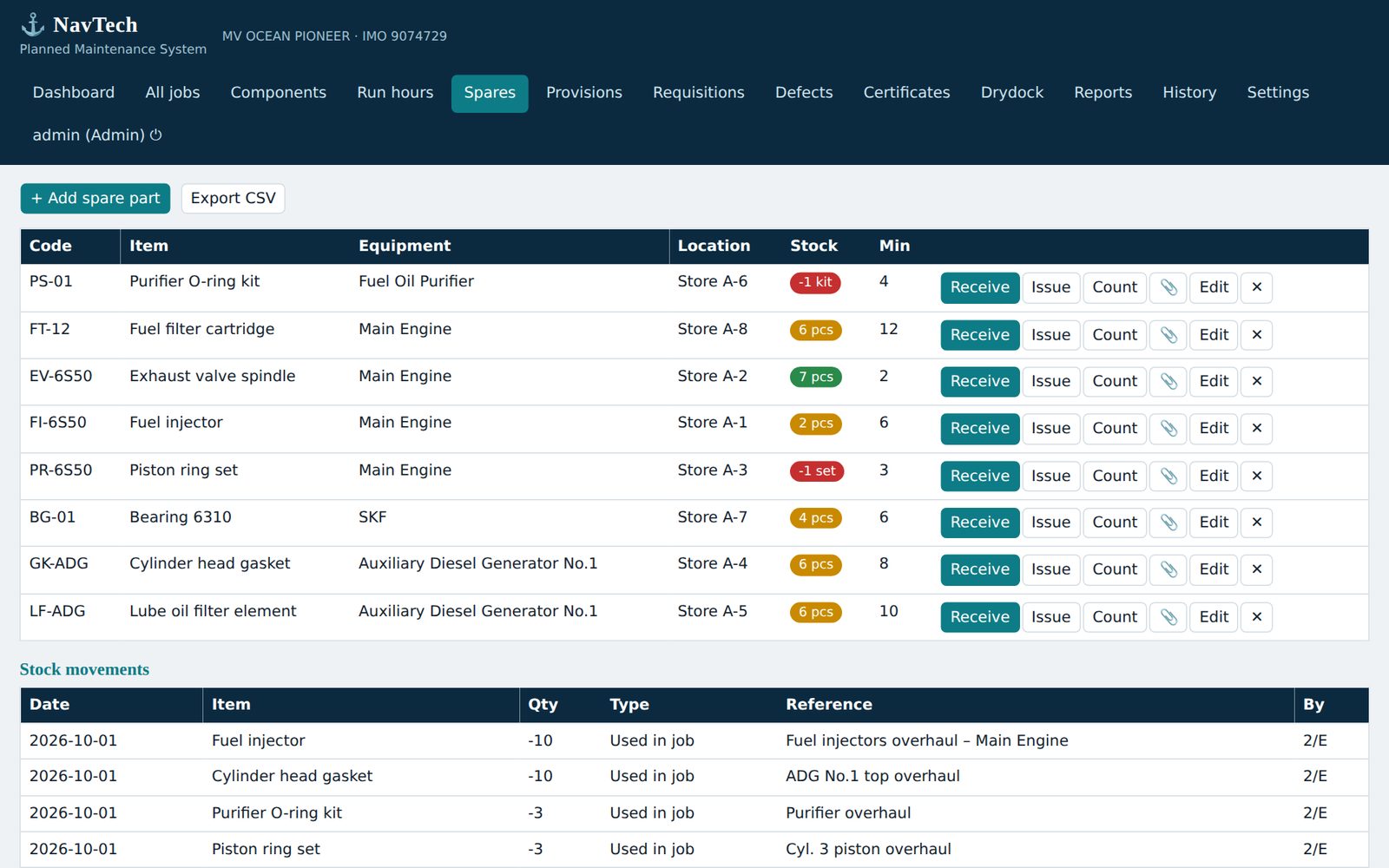
Stores that match the jobs

  • Spares linked to equipment and to jobs
  • Minimum levels with automatic warnings
  • Receive, issue and count with a full movement log
  • Prices in any currency, costs per job
NavTech spares inventory

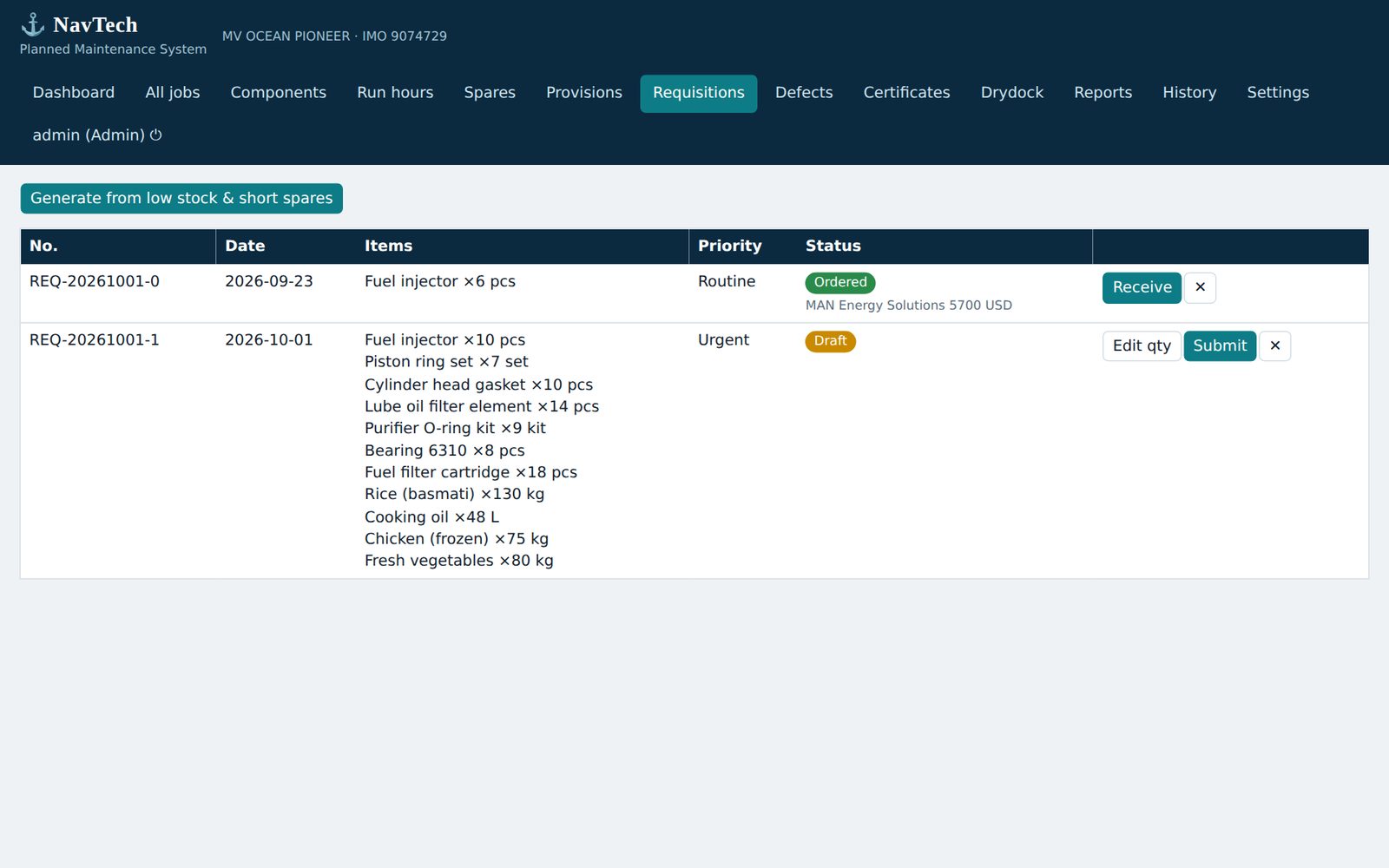
From shortage to delivery

  • One click builds the requisition
  • Approve on board or from the fleet office
  • Order, then receive into stock
  • Shore approvals reach the ship automatically
NavTech requisitions

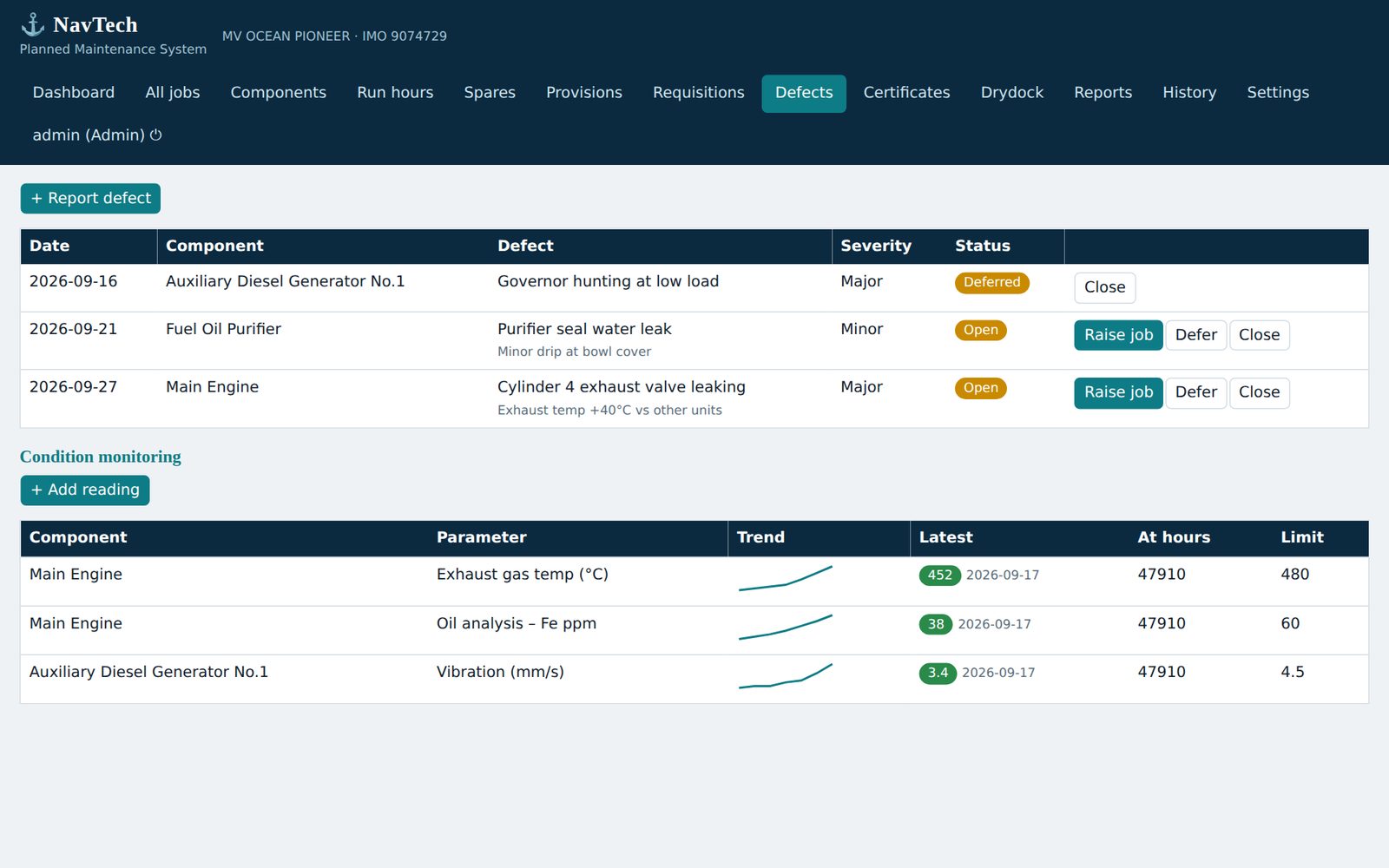
Catch problems early

  • Defect register with severity
  • Raise a job from any defect
  • Condition trends with alarm limits
  • Oil, exhaust temperature, vibration, bearings
NavTech defects and condition monitoring

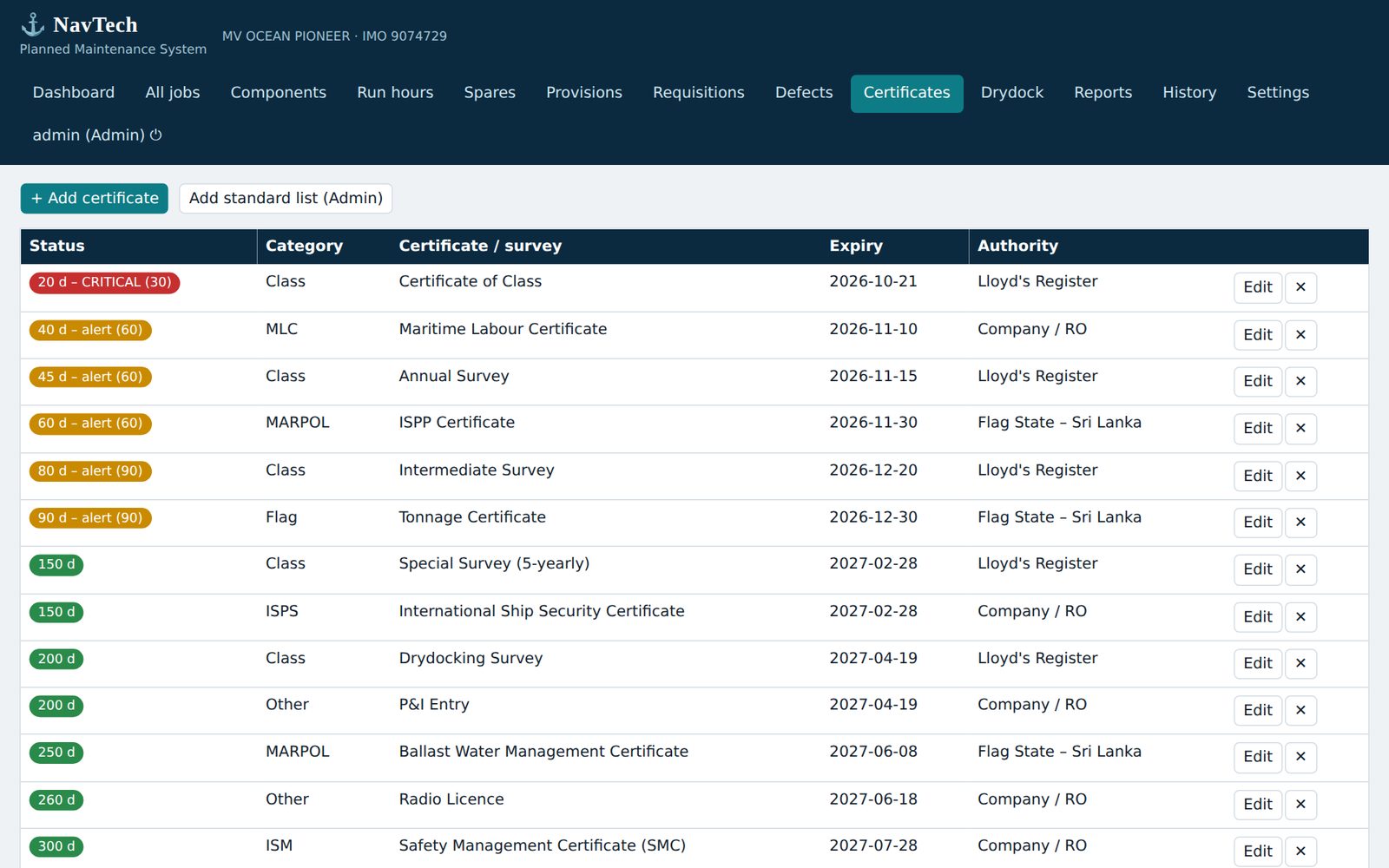
Never miss an expiry

  • Standard class and statutory list included
  • Alerts at 90, 60 and 30 days
  • Counts shown on the dashboard and ashore
  • Ready before PSC and vetting
NavTech certificates tracker

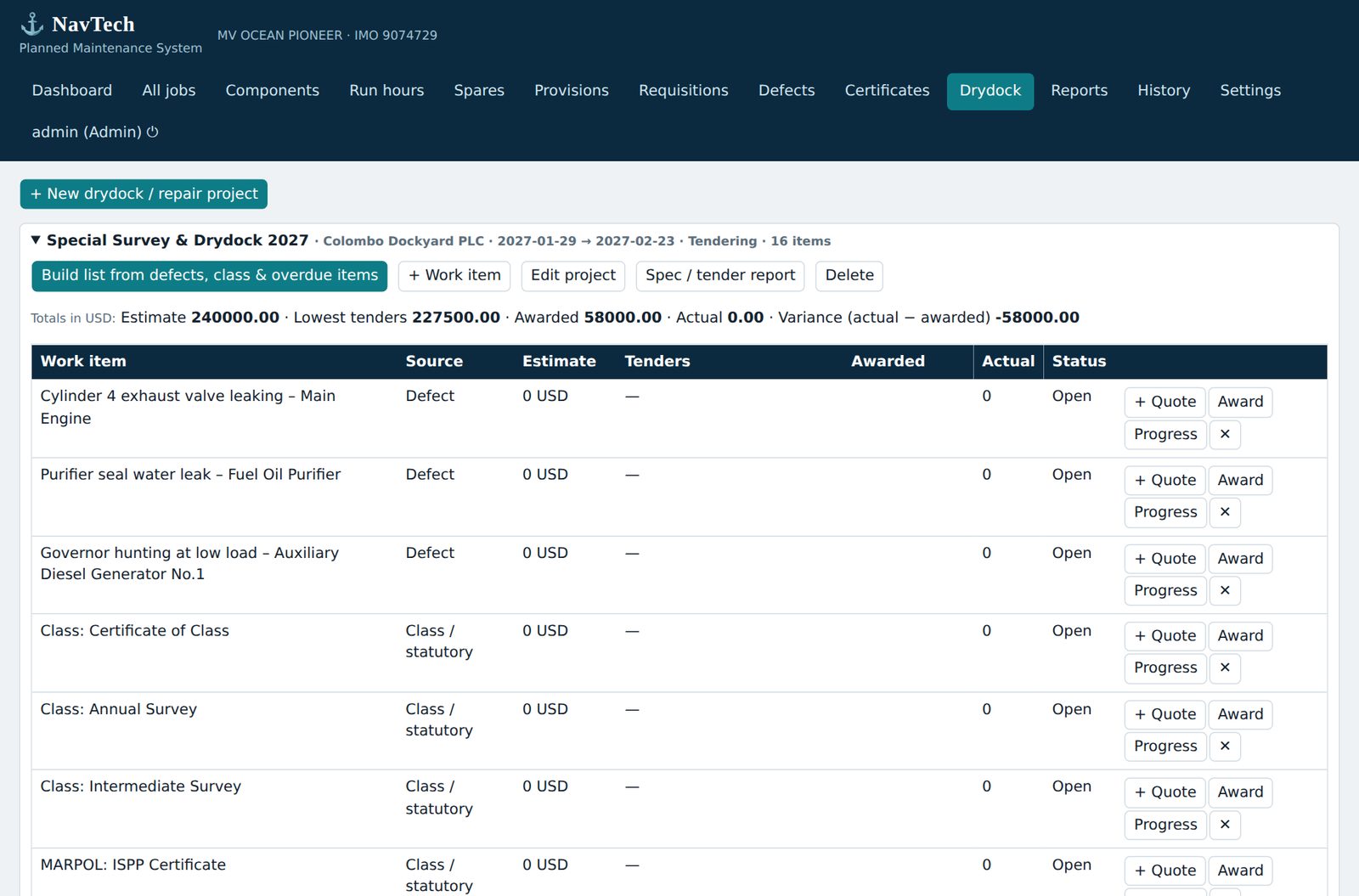
Plan the yard period

  • List built from defects, class and overdue items
  • Tender quotes compared in one currency
  • Award, then track actual against awarded
  • Print the specification and tender report
NavTech drydock project with tender comparison
Simple to adopt

Up and running in three steps

💻

Open the file

NavTech on board is a single file that opens in a normal browser. No installer, no database, no internet needed.

✏️

Make it your ship

Add, move, rename or delete any component and job. Fill in the full vessel particulars and your own intervals.

📡

Connect to shore

Enter the shore address and the vessel key once. The ship then syncs by itself and keeps working when the link drops.

For the fleet office

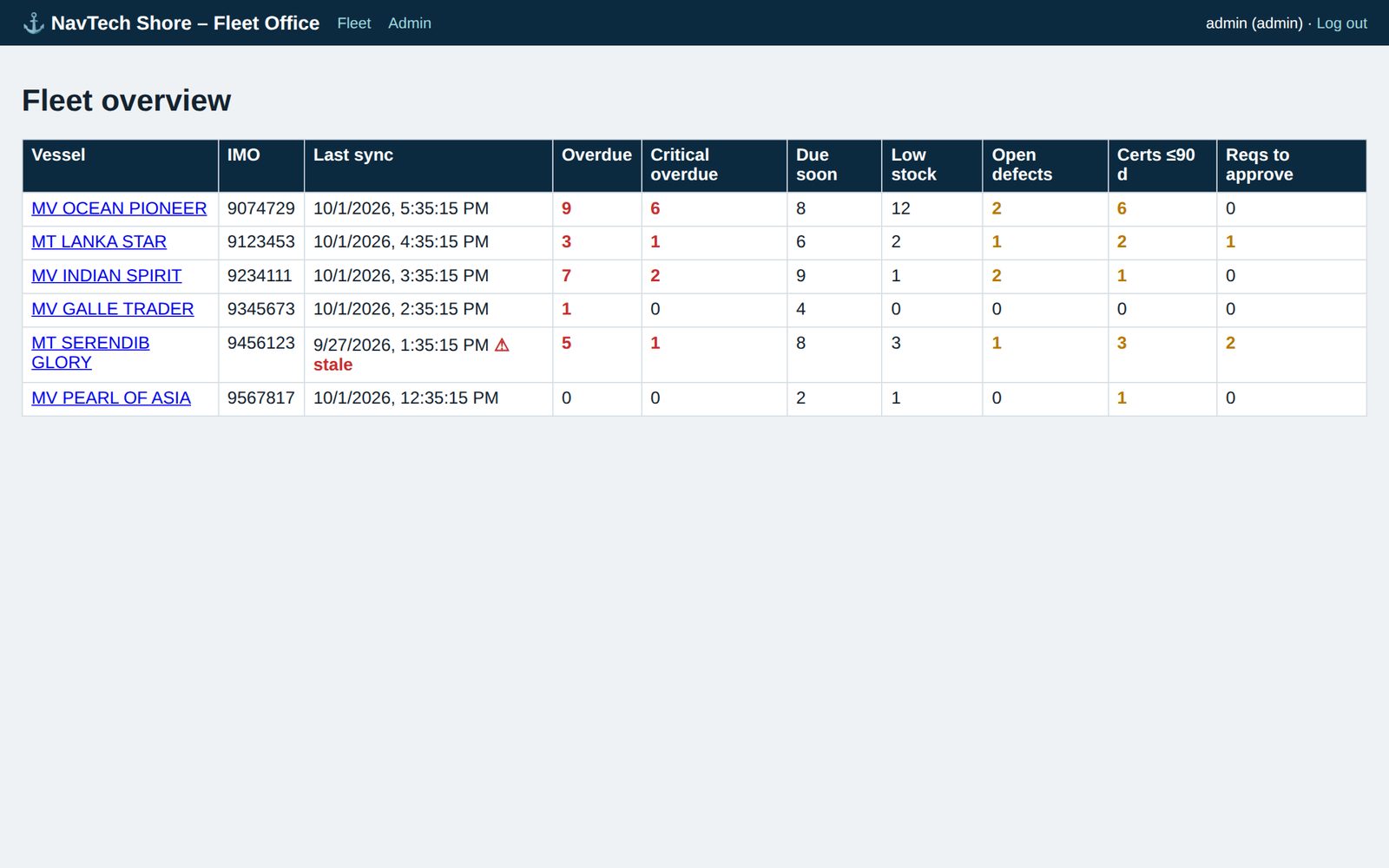
Your whole fleet, one screen

The NavTech Shore Server collects every ship's status and lets superintendents act, without chasing e-mails.

  • Overdue and critical jobs, stock, defects and certificates for every vessel
  • Superintendents see only their assigned vessels
  • Approve requisitions, add jobs and change intervals from shore
  • Backup snapshots kept for every vessel
🔑 Vessel key+🆔 IMO number+💽 Installation ID=✔ No vessel mix-ups
NavTech Shore · Fleet overview (sample data)
NavTech shore server fleet overview
Designed for real ships

Reliable where the connection is not

🛰

Offline-first

Every function works at sea. Data syncs when the link returns.

🔐

Protected data

Role-based access, AES-256 encrypted backups and hashed shore passwords.

🔧

Fully editable

No fixed lists. Every ship is different, and NavTech adapts.

🏷

You own your data

Your data stays on your ship and your server. Export it any time.

Licensing

Plans that fit your fleet

Tell us about your fleet and receive a clear quotation. Pricing is tailored to the number of vessels.

Single Vessel

For owners starting with one ship.

  • Ship application
  • Starter job library
  • Setup guide and manual
Get a quote
MOST POPULAR

Fleet

For managers running several vessels.

  • Ship application for every vessel
  • Shore Server with fleet overview
  • Shore-to-ship instructions
  • Onboarding support
Get a quote

Enterprise

For large or specialised operations.

  • Everything in Fleet
  • Custom templates and branding
  • Data loading from existing lists
  • Priority support
Talk to us
Questions

Good to know

Does NavTech need an internet connection on board?

No. All functions run offline. If you connect the ship to the shore server, it syncs automatically whenever a connection is available.

Which computers does it run on?

Any Windows, macOS or Linux computer with a modern browser such as Chrome, Edge or Firefox.

Can we change the equipment and jobs for each ship?

Yes. You can add, edit, move or delete any component, job, spare, certificate or user, so the plan matches the ship exactly.

How do you prevent data from different ships being mixed?

The shore server accepts data only when the vessel key, the IMO number and the ship's installation ID all match. Anything else is refused.

How is our data protected?

Users have roles (Admin, Officer, Shore). Backups are encrypted with AES-256, and shore accounts use hashed passwords. For internet use, the shore server sits behind HTTPS.

Can you load our existing equipment and job lists?

Yes, ask us about data loading during onboarding.

Ready to get started?

See exactly how NavTech is installed on board and ashore, how to update it, and how to order. Download the illustrated installation guide.

Installation & ordering →
Get started

See NavTech with your fleet

Request a demo and we will show you the system using your vessel type.

  • ✉ sales@navtech.com.lk
  • 🌐 navtech.com.lk
  • 📍 Sri Lanka · serving shipping companies worldwide